
You can secure your digital legacy and hand your adult children clear access to your accounts in just two days. Organizing digital life for heirs prevents lost family assets, frozen utility bills, and months of administrative gridlock.
Leaving passwords on paper risks account lockouts and technically violates federal anti-hacking statutes under the Computer Fraud and Abuse Act. A legally protected, encrypted vault transfers digital authority without breaking service terms.
This 48-hour plan gives a 67-year-old asset manager an exact, stress-free protocol to protect accounts, pass down security tokens, and satisfy state fiduciary laws.
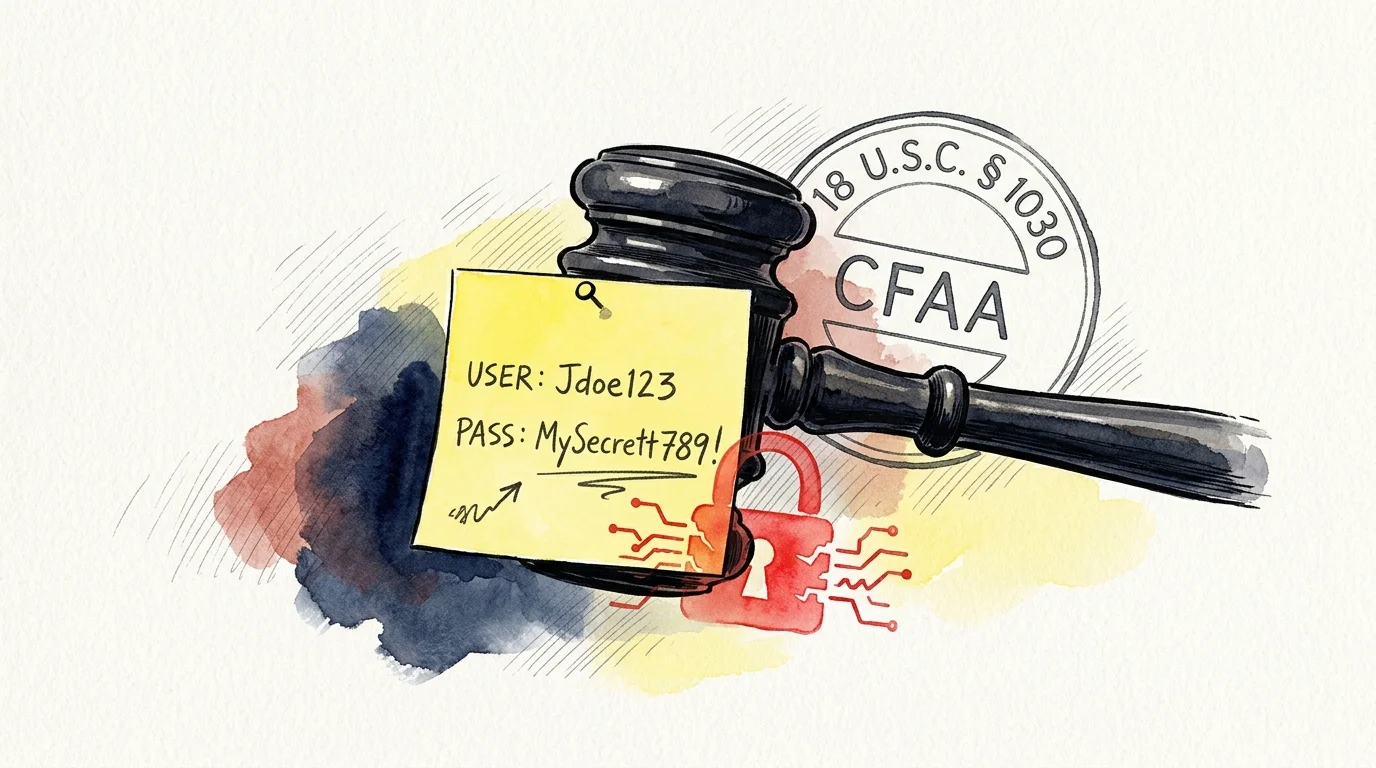
The Federal Trap: Why Leaving a Sticky Note Violates Federal Law
Many seniors believe that writing account passwords in a desk notebook solves future estate complications. That common assumption creates severe legal and technical risks for surviving family members.
For older adults managing their households alone, pairing digital directives with a comprehensive solo aging safety protocol ensures physical and electronic protections work hand in hand.
Under the Computer Fraud and Abuse Act (18 U.S.C. § 1030), logging into another person’s account without formal authorization can be deemed unlawful access. Federal law makes no automated exception for grieving adult children.
The Stored Communications Act (18 U.S.C. §§ 2701–2712) restricts service providers from releasing digital messages to third parties. Most terms of service agreements explicitly forbid password sharing, even among immediate family members.
When an adult child uses your master login after your death, banking algorithms often flag the session as suspicious fraud. This automation instantly freezes the account, locking funds before your family can pay immediate bills.
According to the 2026 Trust & Will Estate Planning Report, 56% of American adults possess no estate planning documents of any kind. Caring.com research confirms that 40% avoid planning because they assume their personal assets are too small.
Research published by AARP highlights the administrative burden surviving children endure when digital access is delayed. Formal digital estate planning seniors can implement today eliminates these roadblocks entirely.
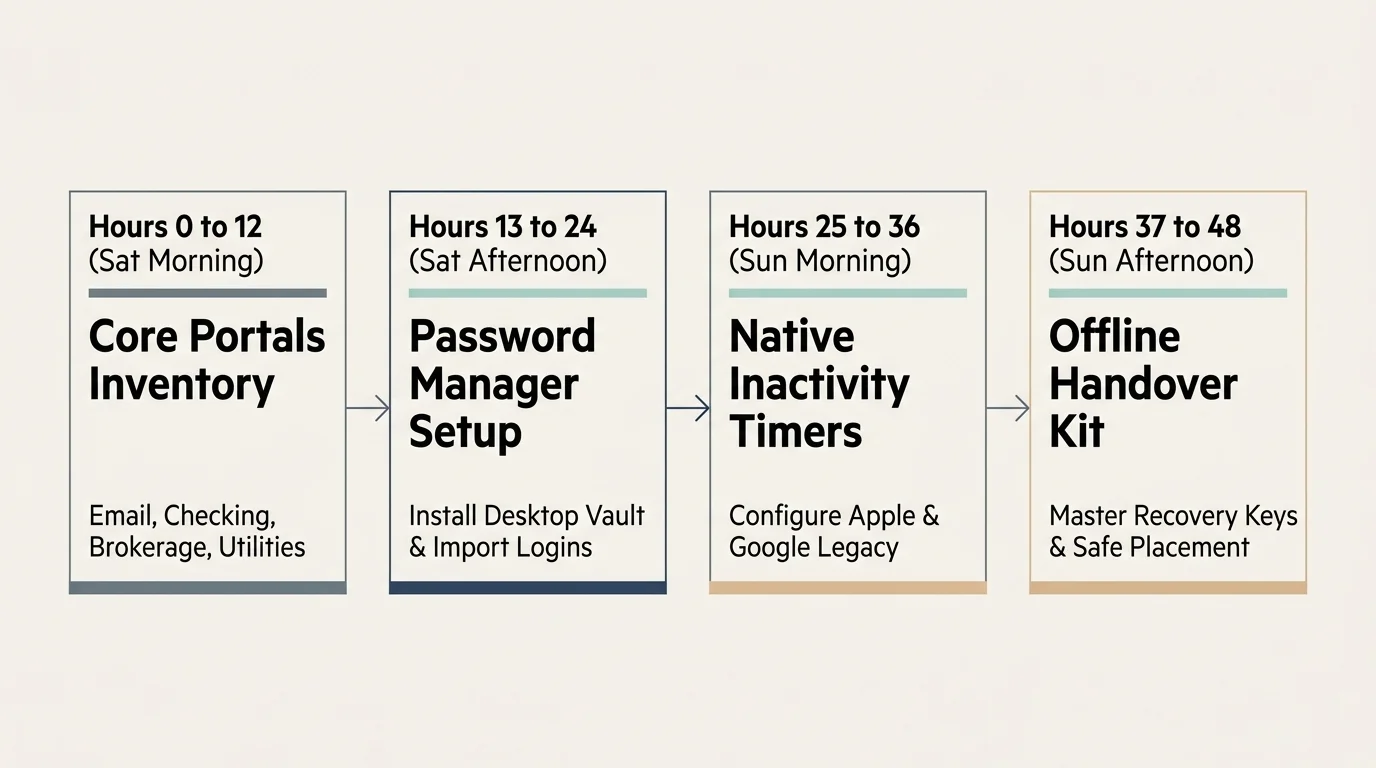
The 48-Hour Implementation Blueprint for 67-Year-Old Estate Managers
Creating your digital inheritance architecture does not require deep technical knowledge. Dedicating two hours each morning and afternoon across a single weekend completes the entire framework.
Setting aside focused hours across a single weekend pairs seamlessly with a balanced daily routine designed to accomplish vital life administrative tasks without stress.
Sharpening your everyday retirement tech skills makes setting up new software and managing these account settings far more approachable.
Follow this chronological schedule to build an unbreachable, legally sound transfer pipeline without feeling overwhelmed.
- Hours 0 to 12 (Saturday Morning): Inventory Your Core Portals. Compile your primary email account, main checking account, brokerage portal, home utility login, and pension dashboard onto a private offline worksheet.
- Hours 13 to 24 (Saturday Afternoon): Establish Your Password Manager. Select a secure credential vault, install its desktop application, and import your primary banking and email logins.
- Hours 25 to 36 (Sunday Morning): Program Native Legacy Settings. Configure Apple Legacy Contact permissions on your iPhone and activate Google Inactive Account Manager on your primary Gmail account.
- Hours 37 to 48 (Sunday Afternoon): Physical Key Escrow and Fiduciary Sync. Print your recovery keys, enclose them in tamper-evident envelopes, and file your statutory digital asset directive with your local estate paperwork.
Breaking the transition into distinct blocks prevents digital fatigue. Each milestone locks in an essential layer of security before moving to the next platform.
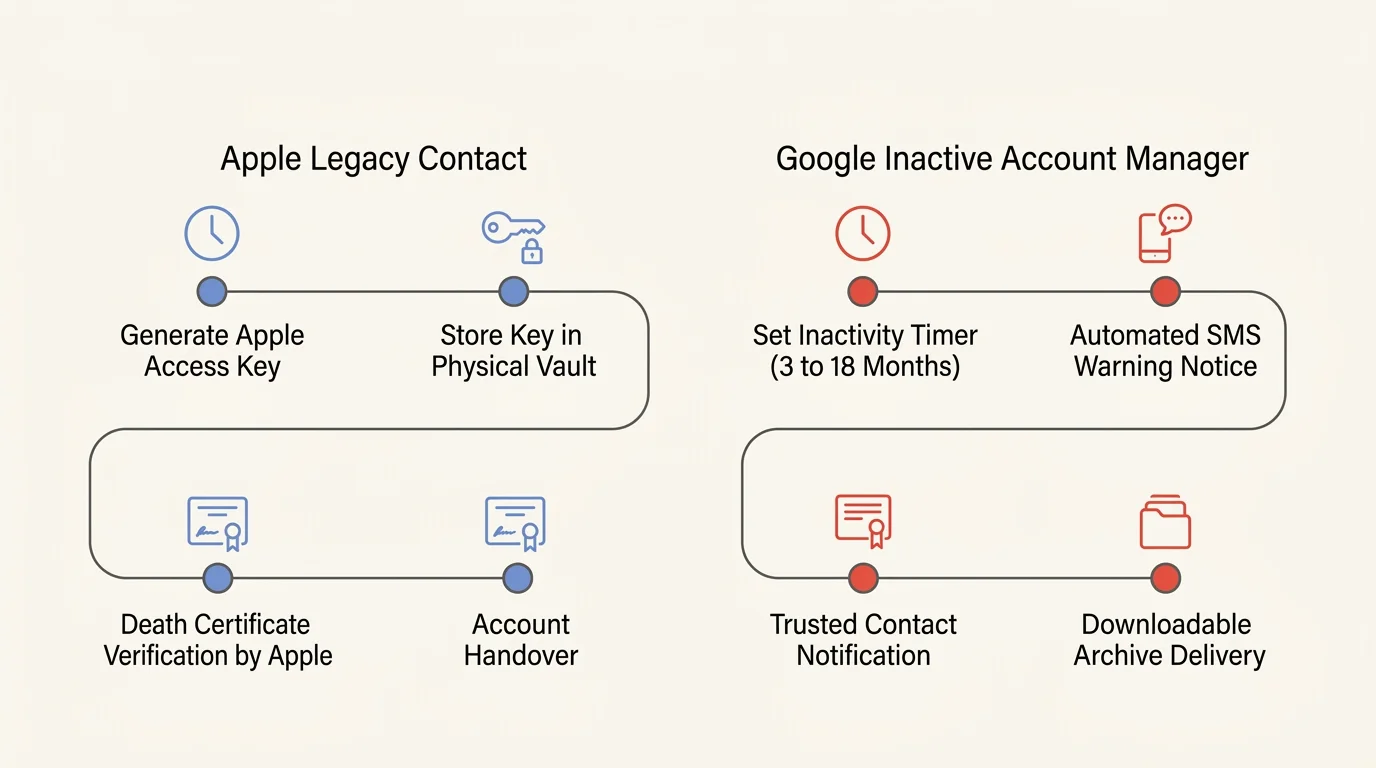
Configuring Native Inactivity Timers: Apple and Google Workflows
Major cloud providers now offer built-in tools that bypass probate court delays. Setting up these mechanisms ensures your children inherit family photos and correspondence legally.
Walking your adult children through these accounts can also serve as an opportunity for building intergenerational connections and establishing open family communication.
The National Institute on Aging provides guidance on advance planning for personal records and financial affairs. Using native cloud tools provides the digital equivalent to advance health and financial designations.
Apple introduced its Digital Legacy Contact system starting with iOS 15.2 and macOS 12.1. This mechanism lets you designate up to five individuals to receive access to your data.
Open Settings on your iPhone, tap your Apple ID banner, select Sign-In & Security, and choose Legacy Contact. Follow the on-screen prompts to select your adult children from your contacts list.
Apple generates a unique cryptographic access key for each contact. Print this key immediately; your heir must present this printed key alongside a certified death certificate to unlock data.
Apple grants designated contacts account access for exactly three years following approval. After that 36-month window expires, Apple permanently deletes the account and all underlying files.
You must understand one critical Apple limitation: Legacy Contacts cannot access your iCloud Keychain. Apple strictly excludes saved website passwords and stored credit card numbers from legacy downloads.
To preserve email records and personal cloud drives, configure Google Inactive Account Manager. Navigate to the Google Account Data and Privacy settings page on your web browser.
Google permits you to assign up to ten trusted contacts. You can define an inactivity trigger window of 3, 6, 12, or 18 months of total account silence.
Select the 3-month or 6-month inactivity window for maximum practical utility. Google sends automated warning notifications via text message and secondary email one month before triggering access.

Vault Architecture: Comparing Bitwarden, 1Password, and KeePassXC
Because native smartphone tools exclude website passwords, you need an independent password manager for estate planning. Relying on an enterprise-grade vault guarantees your family can settle estate bills quickly.
Adopting modern security tools is a great way of upskilling for your second act to keep pace with changing online platforms.
Different software programs use distinct emergency handoff protocols. Review this breakdown to match your technical comfort level with the correct platform.
| Software Platform | Annual Cost | Emergency Handover Method | Data Storage Model | Heir Technical Barrier |
|---|---|---|---|---|
| Bitwarden Premium | $10.00/year | Automated Emergency Access request with user-defined waiting delay (0 to 90 days) | Zero-knowledge encrypted cloud (open-source) | Low: Heir clicks an email link and opens an approved web vault |
| 1Password Families | $59.88/year ($4.99/mo) | Physical Emergency Kit PDF containing 34-character Secret Key and master credentials | Zero-knowledge encrypted cloud (proprietary) | Medium: Heir must locate physical paper sheet and enter key string |
| KeePassXC | Free ($0.00) | Direct offline transfer of encrypted .kdbx file paired with physical hardware key | Strictly local storage (USB drive or home hard drive) | High: Heir must install software and manually mount local database file |
For a 67-year-old parent seeking simplicity, Bitwarden Premium provides the cleanest balance. Its cloud-based emergency request protocol runs independently without forcing your children to decode complex local files.
If you prefer complete avoidance of internet-connected cloud databases, KeePassXC offers an open-source alternative. However, your heirs will need clear technical instructions to mount your offline database file successfully.

Securing 2FA Tokens and Master Recovery Seeds Offline
Modern banking security requires two-factor authentication (2FA) codes delivered through mobile authenticator applications. Storing passwords alone will not grant your executor entry if the login requests a six-digit code.
Robust credential management is equally critical for professionals starting a consulting business in retirement who handle sensitive client data and private business accounts.
When you set up an authenticator app like Aegis Authenticator or 2FAS, the website displays a setup QR code. Always capture the underlying 16-character or 32-character secret seed phrase during setup.
Store these alphanumeric seeds in an encrypted digital vault entry alongside your standard username and password. This allows your password manager to generate dynamic six-digit codes directly for your executor.
Never store your primary master password or password manager recovery key inside an email draft. Maintain an offline physical vault kit using the following durable supplies:
- One fireproof document pouch rated for high temperatures (UL 72 Class 350 standard).
- Two archival-grade, acid-free index cards written in waterproof pigment ink.
- Two tamper-evident adhesive security envelopes that reveal attempts at unauthorized opening.
- One stainless steel seed plate engraved with your master password for permanent fire and water protection.
Place one sealed envelope inside your home fire safe. Deposit the second envelope inside a bank safe deposit box or deliver it to your designated estate attorney.
Instruct your adult children where the physical emergency packet sits inside your home office. They should open the sealed envelope only in the event of medical incapacitation or death.
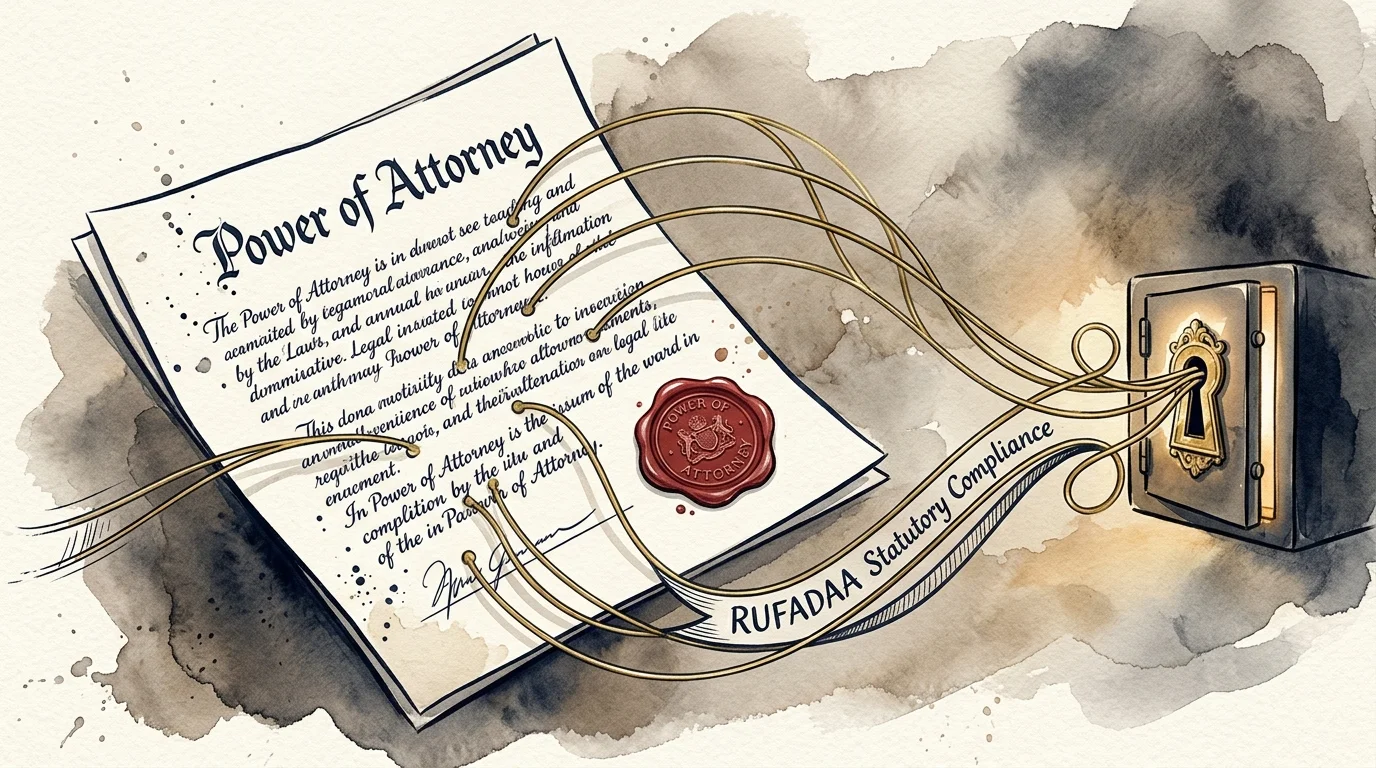
Aligning State Statutory Power of Attorney with Digital Assets
Software settings provide physical entry, but your fiduciary must hold legal standing to act on your behalf. Without legal authorization, family members can still face pushback from conservative institutional attorneys.
Strengthening your broader financial literacy in retirement ensures that both your tangible wealth and your modern digital accounts remain fully legally protected.
The Revised Uniform Fiduciary Access to Digital Assets Act (RUFADAA) controls this legal framework. The Uniform Law Commission developed this statute, which is now law in 46 U.S. states and Washington, D.C.
RUFADAA establishes a strict three-tier legal priority hierarchy that dictates who controls your digital property:
- Tier 1: Online Legacy Tools. Direct platform settings—such as Apple Legacy Contact and Google Inactive Account Manager—override any instructions written in a traditional will or trust.
- Tier 2: Explicit Legal Directives. If you do not use an online legacy tool, probate courts review your will, trust, or financial durable power of attorney for specific digital asset permissions.
- Tier 3: Platform Terms of Service. If your estate plan remains silent on digital assets, standard corporate terms of service govern your accounts, which routinely leads to permanent account deletion.
General power of attorney documents drafted before 2017 rarely contain adequate RUFADAA language. Older boilerplate agreements typically limit authority to tangible financial property like real estate and physical bank checks.
Ensure your legal counsel updates your financial power of attorney to include explicit authorization for digital property. The document must state that your agent possesses legal authority to access the content of electronic communications.
Keep a signed copy of your statutory digital asset directive inside your fireproof storage envelope. This paperwork gives your children the exact documentation compliance officers require before unlocking accounts.
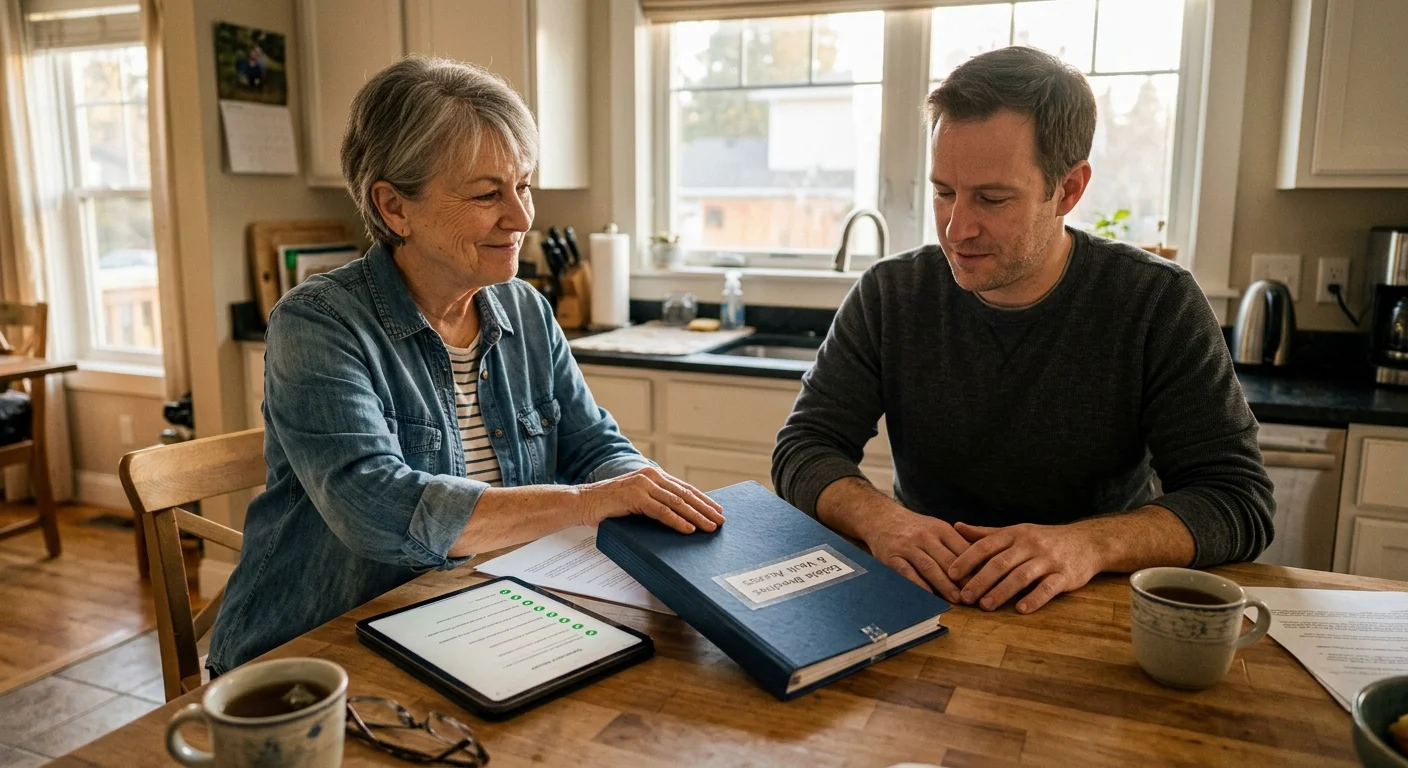
Worked Scenario: The 48-Hour Digital Vault Execution
Consider a practical scenario featuring Arthur, age 67, who manages personal assets for his family. Arthur owns a mortgage-free home, a Vanguard IRA, one primary regional bank account, and family media files.
Arthur wants his 34-year-old daughter, Sarah, to manage his affairs without probate delays if he falls ill. Here is Arthur’s exact 48-hour vault execution workflow and budget breakdown:
On Saturday at 9:00 AM, Arthur purchases a Bitwarden Premium subscription for $10.00. He downloads the desktop client onto his home computer and configures a secure 20-character master passphrase.
By 11:30 AM, Arthur has entered credentials for his regional checking account, Vanguard IRA, local power utility, and home insurer. He enters the manual 2FA recovery secret strings for each portal into Bitwarden’s authenticator fields.
On Sunday at 10:00 AM, Arthur opens Bitwarden’s web console and navigates to Emergency Access. He enters Sarah’s email address and sets the emergency access delay timer to exactly 30 days.
At 1:00 PM, Arthur takes his iPhone 14 running current iOS software. He designates Sarah as his Apple Legacy Contact and prints the 32-character access key on his home printer.
At 2:30 PM, Arthur configures Google Inactive Account Manager. He sets a 3-month silence timer and designates Sarah’s Gmail address to receive full export rights for Google Photos and Gmail.
At 4:00 PM, Arthur places his printed Apple access key, Bitwarden master password, and home safe combination into an 11×15 inch fireproof pouch ($24.99). Arthur spends exactly $34.99 in total expenses.
Arthur walks Sarah through the protocol during Sunday dinner. Sarah knows where the fireproof pouch rests and understands how the 30-day Bitwarden emergency delay operates.
If Arthur faces a medical emergency, Sarah can request access without violating federal laws or triggering account fraud locks. Arthur completed the entire digital estate vault in under 48 hours.
Frequently Asked Questions
Does my executor automatically inherit my digital passwords through a standard will?
No, standard wills rarely grant immediate technical or legal access to online accounts. Corporate terms of service agreements and federal privacy statutes prevent providers from releasing passwords based solely on a traditional will.
Can my family access my financial accounts if my phone uses fingerprint or face unlock?
Biometric authentication tools cease working after a device restarts or remains idle for a designated period. Your heirs need the underlying alphanumeric device passcode and master passwords to access data after an emergency.
What happens to my online subscriptions if my family cannot access my accounts?
Recurring streaming platforms and software services continue charging linked debit or credit cards automatically. Providing your heirs with a centralized digital vault allows them to cancel unused subscriptions immediately, preserving estate funds.
Why is an online legacy tool legally superior to instructions written in my personal trust?
Under the Revised Uniform Fiduciary Access to Digital Assets Act (RUFADAA), platform tools carry Tier 1 statutory authority. Using native settings like Apple Legacy Contact legally overrides conflicting digital property language in your written estate documents.
Disclaimer: This article is for informational and inspirational purposes. Life decisions are deeply personal, and we encourage readers to pursue their dreams while considering their unique circumstances, health, and financial situation.