
Living solo in your suburban home at 74 represents the peak of personal autonomy, not vulnerability. You can sustain this fearless lifestyle by building an automated, high-precision safety triad that preserves your privacy while eliminating emergency response bottlenecks.
Living independently often begins with conquering your fears about vulnerability and confidently embracing self-reliance.
Most aging advice pushes intrusive cameras or premature downsizing, but true independence relies on an invisible triage network combining ambient radar, first-responder lockboxes, and scheduled check-in trees that activate only during acute crises.
This protocol shows you how to engineer that self-reliant perimeter so you can pursue your ambitions without fear.
The Suburban Solo Aging Landscape
Suburban single-family homes offer unmatched space, freedom, and personal peace. They also present distinct spatial challenges when you live independently without housemates or nearby kin.
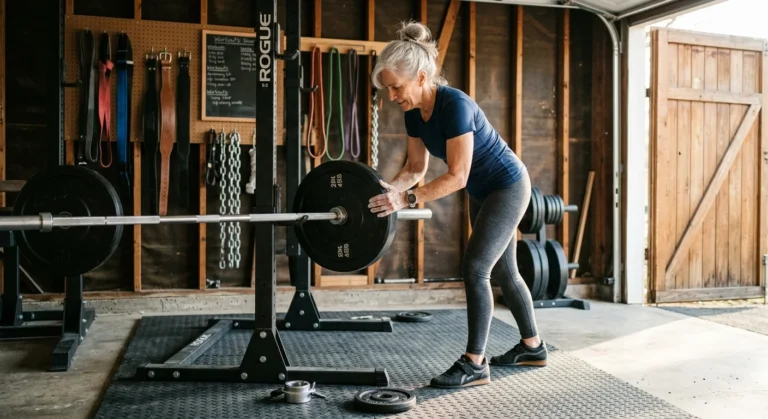
Alongside environmental upgrades, incorporating progressive strength training helps preserve bone density and physical resilience against unexpected falls.
Beyond installing alert hardware, committing to targeted retirement fitness routines helps preserve the balance, strength, and mobility needed to prevent falls altogether.
According to the U.S. Census Bureau, approximately 28 percent of Americans aged 65 and older live alone, representing nearly 16 million vibrant older adults. By age 85, roughly 50 percent of women live entirely on their own.
Researchers at the Joint Center for Housing Studies at Harvard University project that by 2038, more than 10 million older adults will manage solo households across America. You are pioneering a major social movement centered on self-determination.
Maintaining that lifestyle requires facing concrete physical hazards directly. The Centers for Disease Control and Prevention reports that over 14 million older adults fall annually, generating over $50 billion in direct medical expenses.
Data compiled by the National Institute on Aging emphasizes that staying proactive with environmental modifications and emergency contingency planning dramatically reduces injury severity. True boldness comes from removing catastrophic downside risks ahead of time.
An emergency in a multi-room suburban home requires an automated plan. When you take charge of your hardware, you transform your home into a fortress of self-reliance.
Fall Detection: Wearables vs. Wall-Mounted Radar
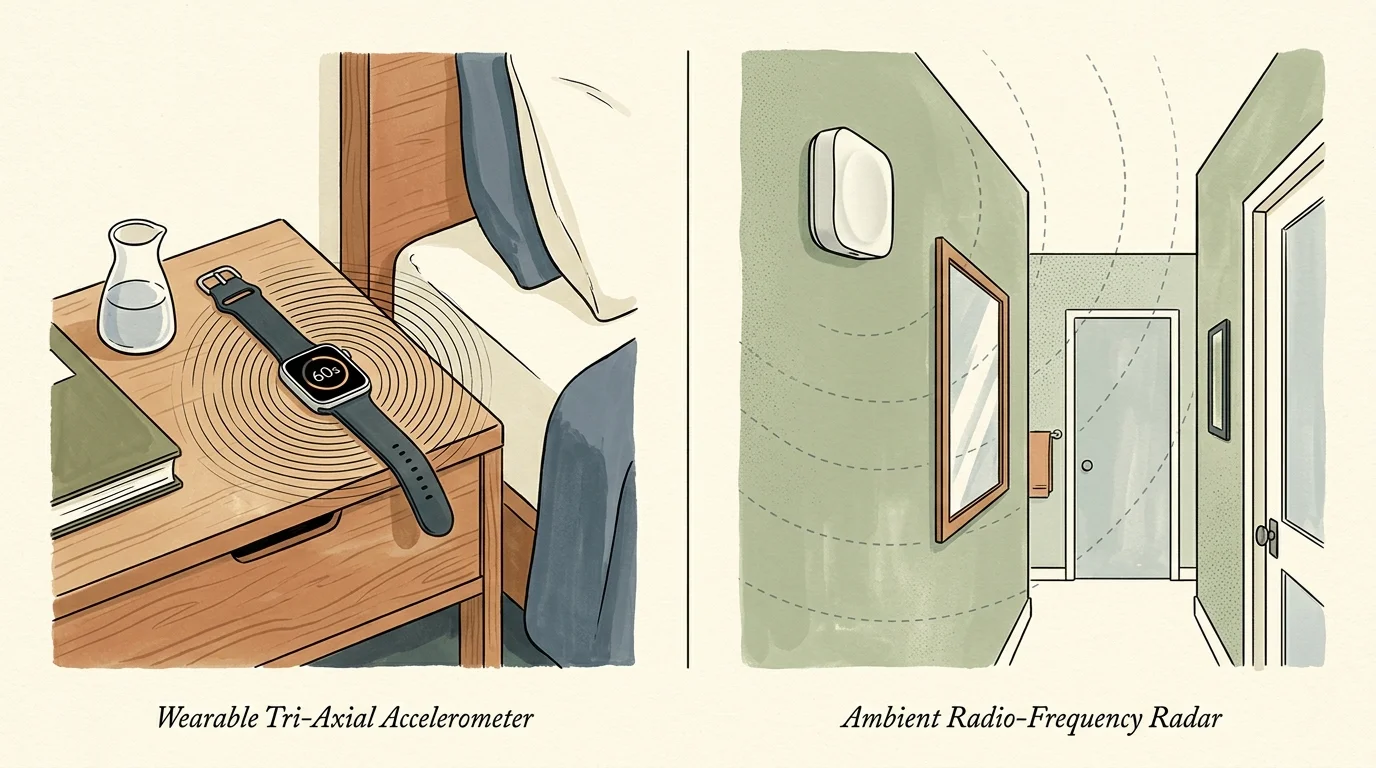
Fall detection technology has evolved past ugly plastic neck pendants. Today, you can choose between wearable wrist computers and unobtrusive ambient radio-frequency hardware mounted directly on your walls.
Resolving circadian disruptions and fixing early morning wakeups also decreases the risk of disoriented nighttime trips across the bedroom in the dark.
Managing modern sensors and wearable devices becomes second nature once you intentionally sharpen your retirement tech skills.
Wearable devices rely on high-rate tri-axial accelerometers and gyroscopic algorithms that measure sudden downward acceleration followed immediately by an impact vector and prolonged lack of movement. Mainstream smartwatches execute this tracking seamlessly.
The Apple Watch SE, starting at $249, provides built-in fall detection without requiring an expensive monthly service subscription. When the internal sensor registers a hard impact, it taps your wrist, sounds an alarm, and displays an on-screen prompt.
If you remain immobile for 60 seconds, the watch automatically dials 911 through its cellular radio. It then transmits your precise latitude and longitude while sending alert notifications directly to your designated emergency contacts.
Traditional monitored alert systems like Bay Alarm Medical or Medical Guardian charge between $20 and $60 per month for baseline 24/7 call center access. Adding automated fall detection sensors typically raises that subscription by $5 to $15 monthly.
Wearables offer exceptional range outside the home, but they introduce a critical failure point: you must remember to recharge and wear them. Wearables also frequently sit on bedside chargers during high-risk nighttime bathroom visits.
Wall-mounted ambient systems eliminate user-compliance friction entirely. Emerging devices utilize 60 GHz millimetric-wave (mmWave) radar to map room micro-movements without invading your personal visual privacy.
Radar units track the physical coordinates of a human body in three-dimensional space across rooms up to 20 feet by 20 feet. When the system detects a rapid descent to floor level without recovery, it routes an alert through home Wi-Fi.
Radar hardware requires zero wristbands, zero battery charging routines, and zero active presses. Devices like Vayyar Care mount discreetly onto drywall surfaces, scanning high-risk wet zones like bathrooms and showers through curtains and steam.
Hardware Comparison: Modern Detection Systems
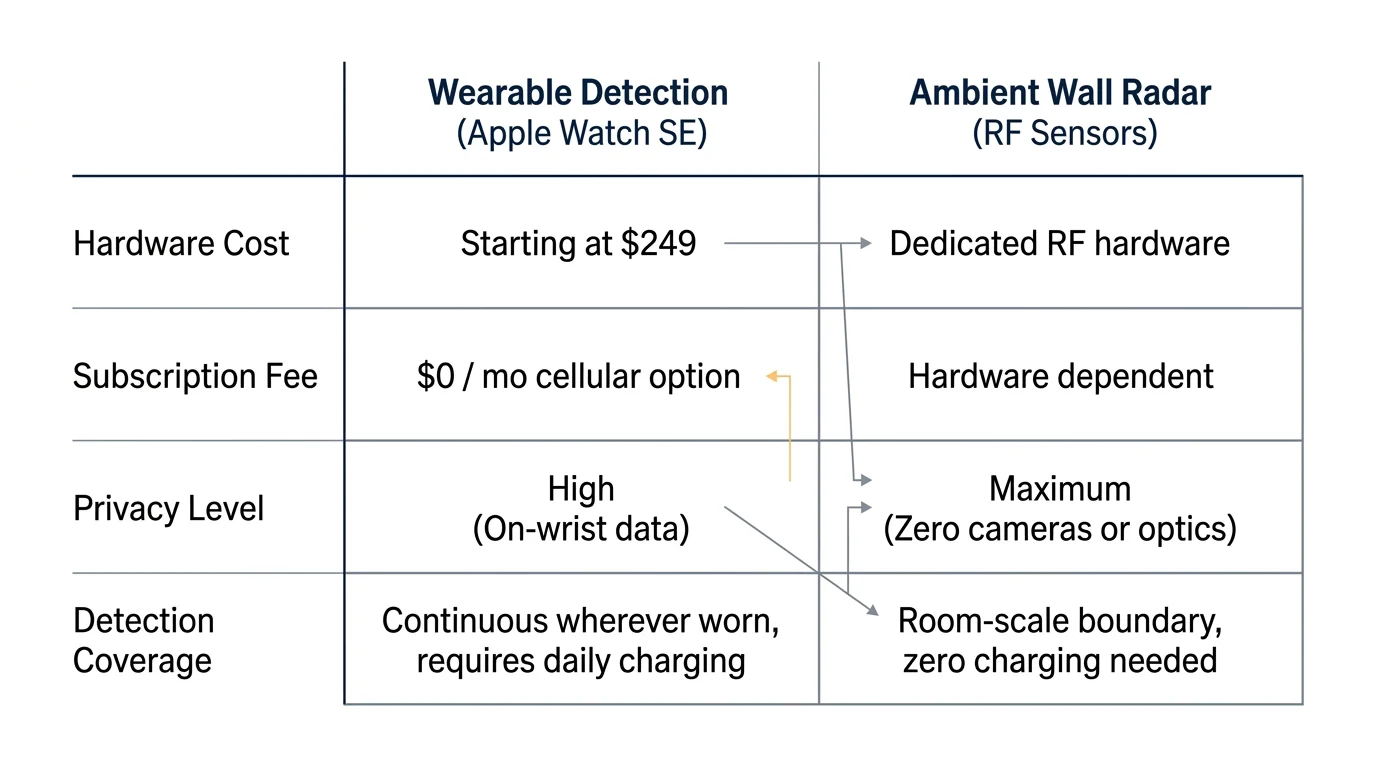
Selecting the right hardware mix requires balancing equipment costs, recurring service fees, battery maintenance, and situational reliability. Use this comparison table to analyze your options.
Investing in the right detection hardware supports comprehensive retirement wellness, ensuring that personal safety and holistic health operate together.
| Device Option | Detection Technology | Initial Equipment Cost | Monthly Monitoring Fee | Power / Maintenance Demands | Dispatch Trigger Mechanism |
|---|---|---|---|---|---|
| Apple Watch SE (44mm GPS + Cellular) | Wrist Accelerometer & Gyroscope | $279.00 | $10.00 (Cellular carrier add-on; $0 to 911) | Daily 18-hour recharge cycle required | Autonomous 911 cellular dial after 60-second countdown |
| Medical Guardian MGMove | Wrist Accelerometer & Cellular Base | $199.95 | $44.95 + $10.00 fall add-on ($54.95 total) | Daily 24-hour cradle recharge cycle | Proprietary commercial monitoring center call center |
| Vayyar Care Home Touchless | Wall-Mounted 4D mmWave Radar | $249.00 | $0.00 (Standard) to $9.99 (Premium alert) | Continuous 110V AC wall outlet power | Automated SMS / phone tree broadcast via Wi-Fi network |
| Bay Alarm Medical SOS Home | Wall Push Buttons & Neck Pendant | $79.00 | $27.95 + $10.00 fall add-on ($37.95 total) | 3-5 year pendant cell; base battery backup | Live central station voice contact through base station |
Reviewing these specifications reveals clear architectural trade-offs. Wearable devices travel with you to the backyard garden, while radar hardware delivers bulletproof reliability across hazardous, slick indoor environments.
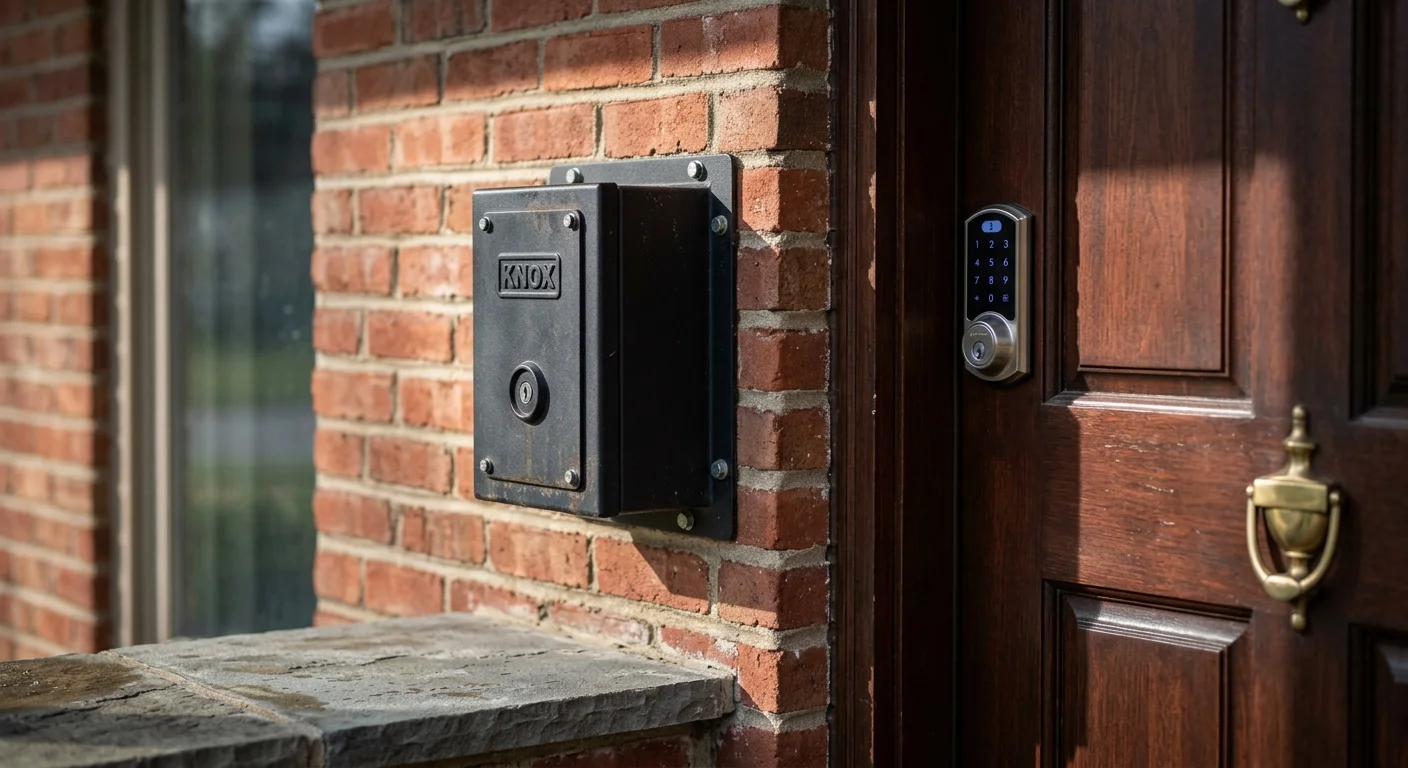
First Responder Access: Smart Deadbolts vs. Knox HomeBox
Calling for help is only half the battle during an acute medical emergency. First responders must also enter your locked suburban home quickly without compromising structural security.
Proactively finding community and building connections gives you dependable local neighbors who can assist first responders in locating lockbox keys during a crisis.
Mounting access lockboxes and swapping deadbolts offers a great opportunity to put practical DIY home repair skills into immediate service.
When paramedics or firefighters encounter locked exterior doors during a high-priority call, they perform forced entry using halligan bars and sledgehammers. This tactical necessity destroys your door jamb, shatters expensive fiberglass, and generates thousands in repair bills.
Forced entry also burns three to seven critical minutes while emergency personnel breach heavy deadbolts. Solving physical ingress demands an engineered solution established well before dispatchers receive a call.
Keypad smart locks from brands like Schlage, Yale, and August cost between $100 and $250. They allow you to set permanent entry codes, grant temporary access, and trigger remote unlocking using your smartphone.
You can create a dedicated, non-obvious entry code on your smart deadbolt specifically for public safety teams. You then register this code directly with your county or municipal 911 dispatch center.
Dispatchers attach that code to your home address file inside their Computer-Aided Dispatch (CAD) database. When an ambulance responds to your address, paramedics view your entry code on their tactical dashboard en route.
However, digital deadbolts depend entirely on battery charge, working motor actuators, and home Wi-Fi uptime. The gold standard for fail-safe entry remains the Knox HomeBox.
Manufactured by the Knox Company, the Knox HomeBox is a heavy-duty, high-security steel vault mounted near your main entry door. The hardware costs approximately $160 to $185 as a one-time purchase with zero monthly monitoring fees.
The Knox HomeBox secures your physical master house key inside a quarter-inch plate steel enclosure. Local fire departments hold the exclusive, high-security master key required to unlock it.
Fire personnel log master key removal from emergency vehicles through audited electronic key releases. Paramedics open the vault, retrieve your physical brass key, unlock your front door, and return the key to the safe intact.
You can review regional safety updates and housing accessibility programs through resources provided by AARP. Installing secure rapid-entry hardware protects both your personal physical safety and your home’s equity.
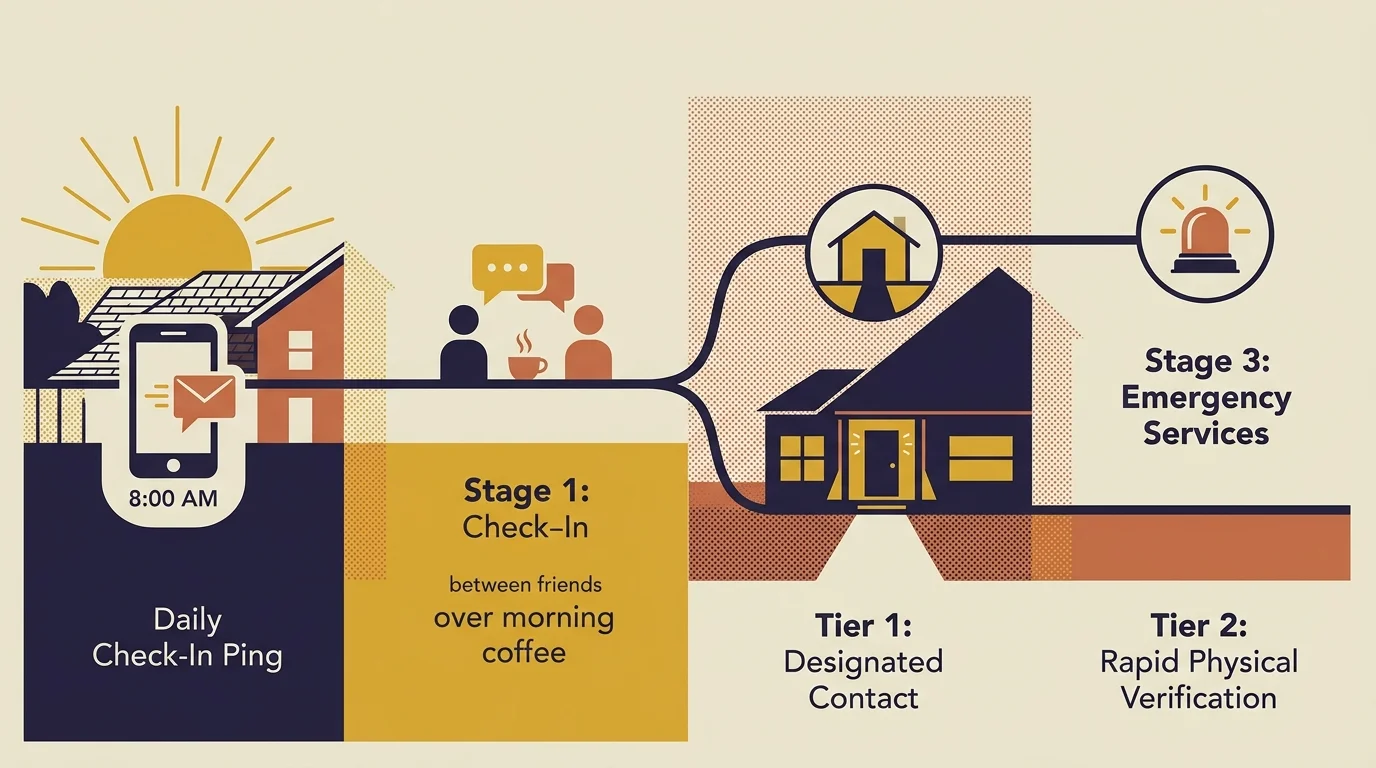
Automated Check-In Trees: Engineering Daily Redundancy
Hardware addresses acute sudden trauma, but a robust emergency protocol must also guard against insidious medical emergencies like severe dehydration, diabetic crises, or silent strokes. Automated check-in trees deliver that daily safety net.
Anchoring your check-in confirmation to an intentional daily routine ensures regular morning check-offs and avoids accidental false alarms.
To give your designated emergency contacts instant access to healthcare directives and essential credentials during a crisis, consider organizing a digital estate vault.
Traditional phone trees fail because they rely on human memory and place emotional burdens on family members. Your friends and adult children lead busy lives, which causes manual check-in routines to fizzle over time.
Software-driven wellness verification removes human inconsistency from the equation. The Snug Safety smartphone app exemplifies this streamlined, automated approach.
Under its free baseline plan, the app sends a push notification to your phone every morning at your designated check-in time. You confirm your wellness simply by tapping a massive green button on the screen.
If you fail to tap that button within your designated grace period, the app issues audible chimes and reminders. If you remain unresponsive, the software sends automated text notifications with your last-known location coordinates to your emergency contacts.
For additional protection, Snug offers a dedicated Dispatch plan costing $19.99 per month or $149.99 annually. If you miss your check-in under this tier, a professional live dispatcher attempts direct contact before calling your emergency proxies.
If your emergency contacts cannot verify your status, the dispatch team immediately alerts your local municipal police department to conduct an on-site welfare check. This multi-layered structure ensures someone always searches for you if you cannot reach your phone.
Organize your human verification contacts into a structured escalation hierarchy:
- Tier 1 (Immediate Physical Proximity): A trusted next-door neighbor holding physical property keys who can walk over within three minutes of an escalated alert.
- Tier 2 (Secondary Local Contact): A friend, club peer, or faith-community member living within a 15-minute driving radius.
- Tier 3 (Administrative Family Contact): An adult child, sibling, or designated executor who holds legal healthcare proxy authority and manages remote coordination.
This tiered configuration prevents unnecessary 911 calls while maintaining a swift, reliable path to physical intervention when seconds count.
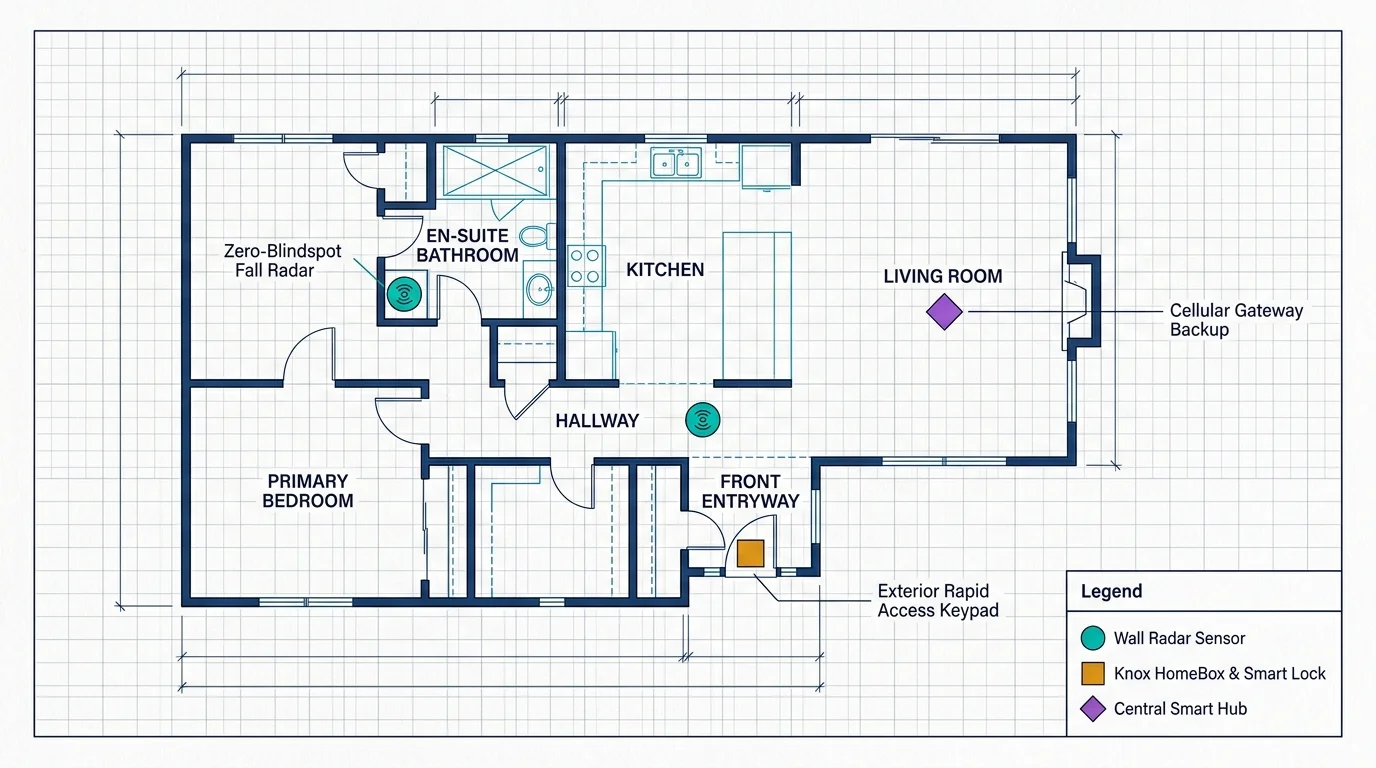
The Worked Blueprint: A 74-Year-Old Suburban Setup
To see these interlocking layers in action, review this worked implementation designed for Arthur, a 74-year-old retired mechanical engineer living alone in a 2,100-square-foot ranch home in suburban Ohio.
Arthur refuses to trade his expansive garden, woodshop, and personal autonomy for an assisted facility. Instead, he invested an afternoon configuring an independent safety framework tailored to his specific property.
Arthur executed the following step-by-step equipment deployment on Saturday, October 12:
- Primary Wearable: Arthur purchased an Apple Watch SE 44mm GPS + Cellular for $279. He activated a $10 monthly cellular companion plan on his existing phone bill.
- Wet-Zone Protection: He installed a Vayyar Care mmWave radar unit on the master bathroom wall ($249) at a height of 5 feet, pointing toward the walk-in shower.
- Physical Access: He mounted a Knox HomeBox Single Key surface-mount vault ($175) beside his front door jamb using four 3-inch lag bolts anchored directly into the structural stud.
- Digital Access Backup: He swapped his deadbolt for a Schlage Encode Smart Wi-Fi deadbolt ($220), programming an emergency code matching the last four digits of his childhood phone number.
- Daily Check-In Automation: He downloaded the Snug Safety app on his iPhone, selecting the Free Tier with a mandatory 8:30 AM daily confirmation window.
Arthur registered his Knox HomeBox installation and his smart lock code directly with the county 911 communications coordinator on Monday, October 14. Dispatchers permanently tied these details to his home address in their CAD system.
Here is how Arthur’s investment tallies financially:
- Apple Watch SE (44mm Cellular): $279.00
- Vayyar Care Radar Sensor: $249.00
- Knox HomeBox Residential Unit: $175.00
- Schlage Encode Wi-Fi Deadbolt: $220.00
- Total Initial Capital Investment: $923.00
- Monthly Ongoing Subscription Fees: $10.00 (Apple Watch cellular line only; $0 for check-ins or hardware monitoring)
Three months later, Arthur slipped on black ice on his rear patio at 6:45 PM while carrying firewood. The sudden impact jarred his hip, rendering him unable to stand in freezing temperatures.
Arthur’s Apple Watch detected the severe impact and initiated its 60-second acoustic alert sequence. Unable to reach his phone or climb the patio steps, Arthur allowed the countdown timer to expire.
At 6:46 PM, the watch dialed the local 911 dispatch center autonomously, broadcasting his GPS coordinates and synthesized voice alert. The CAD system flagged his Knox HomeBox address notes immediately.
Engine Company 4 arrived at his residence at 6:53 PM. Firefighters unlocked the Knox box using their master key in 15 seconds, walked through the interior hallway, and located Arthur through the open patio door.
The entire operation concluded within 11 minutes of his fall. Arthur avoided hypothermia, preserved his expensive entry door, and returned home two days later to resume his independent life.
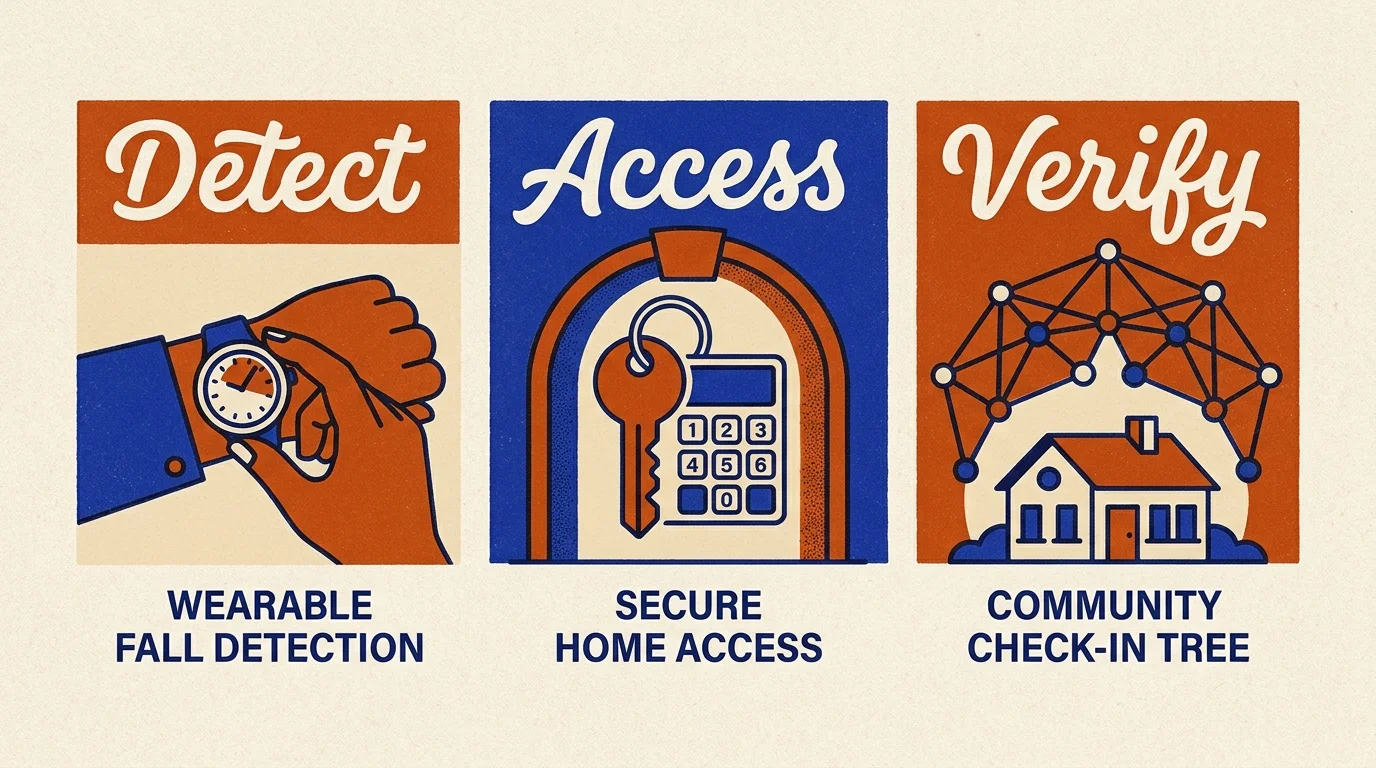
The Master Solo Aging Safety Checklist
Building an independent safety network does not require technical mastery. Complete these concrete tasks over three consecutive weekends to establish your personal safety perimeter.
- Audit Your High-Risk Zones: Inspect your primary bathroom, basement stairs, and outdoor pathways for loose footing or blind spots that need ambient radar coverage or grab bars.
- Select Your Fall Detection Architecture: Choose between an active wearable like the Apple Watch SE or passive mmWave radar based on your willingness to wear and charge hardware daily.
- Inspect Your Main Entry Doorframe: Locate a solid wall stud within 3 feet of your front door to provide an anchor surface for your emergency rapid-access lockbox.
- Contact Your Local Fire Department: Ask your municipal fire prevention bureau if they participate in the residential Knox HomeBox program, or register your smart lock code with your local 911 CAD team.
- Program Emergency Health Medical ID: Open the Health app on your smartphone, input your verified medical conditions, medications, blood type, and emergency contacts, and toggle “Show When Locked” to On.
- Download an Automated Check-In App: Install Snug Safety, configure your daily morning check-in window, and link three verified contacts into your escalation hierarchy.
- Run a Controlled Emergency Drill: Walk your Tier 1 neighbor through your front door using your lockbox or smart code to verify that all access permissions work seamlessly.
Frequently Asked Questions
Can I rely exclusively on an Apple Watch for fall detection?
An Apple Watch provides stellar sensor performance during active hours, but it cannot protect you while charging on your nightstand. Pair your watch with an ambient wall-mounted radar unit in high-risk zones like bathrooms to ensure 24/7 coverage.
How does the fire department access a Knox HomeBox?
Authorized emergency response vehicles carry a proprietary master key secured inside an electronic vault. Fire personnel release this key via authorized radio dispatch codes, unlock your box, retrieve your physical house key, and secure the box when finished.
Do smart locks work during a suburban power outage?
Yes, leading smart deadbolts run on four internal AA alkaline batteries that operate independently from your home electrical grid. Keypads continue unlocking the door for up to a year on a single battery set even when municipal power fails.
What happens if I forget to confirm my morning check-in app?
Apps like Snug trigger loud chime reminders for several minutes before escalating. If you fail to respond, the system alerts your designated emergency contacts via text messages containing your last-known coordinates so they can verify your safety.
Living Boldly: The Future of Self-Reliant Aging
Retirement offers an incredible canvas for reinvention, intellectual curiosity, and creative enterprise. Living alone in your cherished home should elevate that sense of freedom, not constrain it.
True peace of mind does not come from passive worry or surrender to institutional care. It stems from intelligent preparation, modern technology, and the decisive execution of an automated safety framework.
When you engineer your fall hardware, entry systems, and check-in trees, you eliminate vulnerability. You liberate your energy to focus on what matters most: living boldly, pursuing ambitious goals, and celebrating life on your own terms.
Disclaimer: This article is for informational and inspirational purposes. Life decisions are deeply personal, and we encourage readers to pursue their dreams while considering their unique circumstances, health, and financial situation.




1 Comment